
- What is a B2B Ordering System?
- What are the features and benefits of a B2B ordering system?
- How to Set Up a B2B Ordering System with ERP?
- Common Problems in the B2B Ordering Process and Their Solutions with ERP
- What to Consider When Choosing a B2B Ordering System?
- An Example from One Sector: From Ordering by Phone to Automatic Renewal
- Frequently Asked Questions
What is a B2B Ordering System?
A B2B ordering system manages the bulk buying and selling processes of products or services between businesses; it brings together order accuracy, inventory integration, and supplier/customer communication in a single panel. When integrated with an ERP system, order information also flows automatically into the finance or inventory systems without needing to be manually processed.
What are the features and benefits of a B2B ordering system?
-
Order accuracy: The risk of incorrect product/quantity entry in orders placed by phone is eliminated when orders are entered directly through the control panel.
-
Real-time inventory management: as soon as a dealer places an order, inventory drops, eliminating the need for other dealers to order and cancel products that are no longer available.
-
Automated process management: order confirmation, shipment scheduling, and invoicing automatically initiate each other instead of being triggered manually.
-
Sales and distribution optimization: shipping routes and delivery priorities are suggested based on order data rather than manual planning.
-
Simplifying financial processes: billing and payment tracking are automatically triggered the moment an order is confirmed.
-
CRM integration: the dealer's order history and requests remain on a single platform, even if the sales representative changes.
-
Supplier communication: When stock runs low, an automatic replenishment request can be sent to the supplier, eliminating the need for email reminders.
How to Set Up a B2B Ordering System with ERP?
-
Needs are assessed: order volume, number of dealers, and bottlenecks in the current process (telephone ordering, manual stock control) are identified.
-
Choosing the right software and ERP: B2B order systems and ERP infrastructure are selected based on industry suitability and API/integration capabilities.
-
Infrastructure and data security preparation: server/cloud infrastructure is set up, authorization and data security measures are implemented.
-
Data integration (API): The API determines how and how frequently order, inventory, and invoice data will be synchronized with the ERP system.
-
Testing and implementation: the system is tested with a limited order flow, problems are resolved, and the entire dealer network is brought live.
-
Continuous monitoring and maintenance: system performance and integration health are regularly monitored, and updates are performed.
Common Problems in the B2B Ordering Process and Their Solutions with ERP
|
Problem |
Solution with ERP |
|
Incorrect stock information |
Real-time stock updates and minimum/maximum stock level tracking prevent inaccurate stock information. |
|
Delays and incorrect shipments |
Automated shipment scheduling, barcode tracking, and logistics integration reduce delivery errors. |
|
Payment and billing disputes |
Automatic billing and payment tracking prevents amount errors and late payments. |
What to Consider When Choosing a B2B Ordering System?
|
Criterion |
Why is it important? |
|
Suitability to need |
A system that is not suited to the order volume and number of dealers will quickly become inadequate. |
|
ERP/API integration capabilities |
It must be able to work with the existing or selected ERP system without data duplication. |
|
Real-time inventory visibility |
Accurate stock information directly affects the rate of incorrect orders and cancellations. |
|
Data security |
Dealer and order data must be protected with authorization and encryption. |
|
Continuous monitoring and maintenance support |
Regular monitoring and updating of system performance determines long-term usability. |
|
Measurability of return on investment |
Initial cost, operational savings, and error reduction should be clearly comparable. |
An Example from One Sector: From Ordering by Phone to Automatic Renewal
A building materials wholesaler that takes dealer orders by phone sometimes had to cancel orders for products that were out of stock due to outdated stock information. After switching to a B2B ordering system, stock checks are performed at the time of ordering, and automatic replenishment requests are sent to the supplier when stock levels decrease.
"We no longer have to call the distributor and say that the product is out of stock, because the order is already placed according to the current stock," says the company's operations manager.
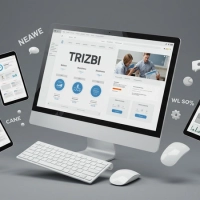
Trizbi is a B2B dealer management software that integrates with its own ERP infrastructure, managing dealers' order, inventory, accounts receivable, and collection processes on a single platform. By integrating your B2B order system with your ERP, it allows you to manage inventory and order data from a single panel.

Frequently Asked Questions
What is a B2B ordering system?
A B2B ordering system is a platform that manages the bulk buying and selling processes of products or services between businesses, bringing together order, inventory, and ERP integration in a single dashboard.
How to set up payment integration for a B2B order system?
By integrating with ERP or accounting software via API, the payment and invoicing process is automatically triggered when an order is confirmed.
What is the difference between a B2B ordering system and a B2C ordering system?
B2B ordering systems manage bulk orders between businesses, while B2C ordering systems cover sales made directly to individual consumers.
What should be considered when choosing a B2B ordering system?
Suitability for needs, ERP/API integration capability, real-time inventory visibility, data security, and measurability of return on investment are the most critical criteria.
Is it possible to use a B2B order system without ERP integration?
It is usable, but the order information also needs to be manually entered into the ERP system, increasing the risk of duplicate data entry and errors.
Would you prefer to manage your dealer orders from a dashboard synchronized with your inventory, rather than by phone? Try Trizbi for 15 days free, without needing to provide your credit card information.
Related pages: ERP Integrated B2B System: Management Guide · What is a Dealer Management System? (Comprehensive Guide)