
Dealer Order System: No More Taking Orders via Phone and WhatsApp
Your dealers place orders from their own panel with current stock and their own prices; the order is processed in the ERP system instantly, stock levels are reduced, and customer accounts are updated. The problems of incorrectly written orders, forgotten notes, and "is it in stock?" checks are eliminated.
Request a free demo.
Leave your information and our dealer management specialist will contact you.
Same Day Return · No Credit Card Required · 15 Days Free
Your information will only be used to contact you.
Order Management, Not Order Receiving
Manually entering orders sent by each retailer via phone, WhatsApp, or email is both time-consuming and prone to errors. With Trizbi, the order is entered by the retailer, goes through the approval process, and is automatically converted into an invoice and shipment — you simply watch.
The order should be processed everywhere as soon as it is placed.
Thanks to Trizbi's built-in ERP system, orders don't need to be transferred to a separate program — they're already there. Two-way integration is also ready for your external systems.

No separate entry for accounting.
Orders, invoices, and accounts receivable are all in the same system; if you have an existing accounting program, the transfer can also be done.

Supplier Stock Should Be Retrieved Automatically
Automatically retrieve product, price, and stock information from your suppliers' XML feeds; eliminate manual updates.

One-Click Shipping
The shipping label is generated from the system, and the tracking number is automatically sent to the retailer.
Which dealer placed what order, and where is it? See it instantly.
Open, pending, shipped, cancelled — all orders in one list. Total turnover, payment status, and risk per dealer at a glance.
-
Revenue and Balance by Dealer
Which retailer ordered how much, how much they paid, and how much they owe — all on a single screen.
-
The dealer should also see the same screen as you.
The retailer can see the order status—preparing, shipped, delivered—on their own panel; they won't receive a phone call asking "what happened to my order?".
-
Filter orders as you wish.
List the data by date, dealer, product, order status, sales representative — any combination you want; export the result to Excel.

Let the numbers speak for themselves: Which product, which distributor, which representative?
Don't wait until the end of the month for your sales report. Order data is up-to-date at all times, by product, dealer, representative, and channel — make your decisions based on numbers, not estimates.

Product Analysis
Which product is selling how much during which period — base your inventory planning on data, not guesswork.

Sales Representative Analysis
Order volume and turnover per representative; commission calculation and target tracking all in a single report.

Order Source Statistics
Are orders coming from the portal, mobile app, or agent? — See channel performance.
-
Can I list my business partner's orders by product?
You can make listings based on business partners and products by using the filter in the order list.
-
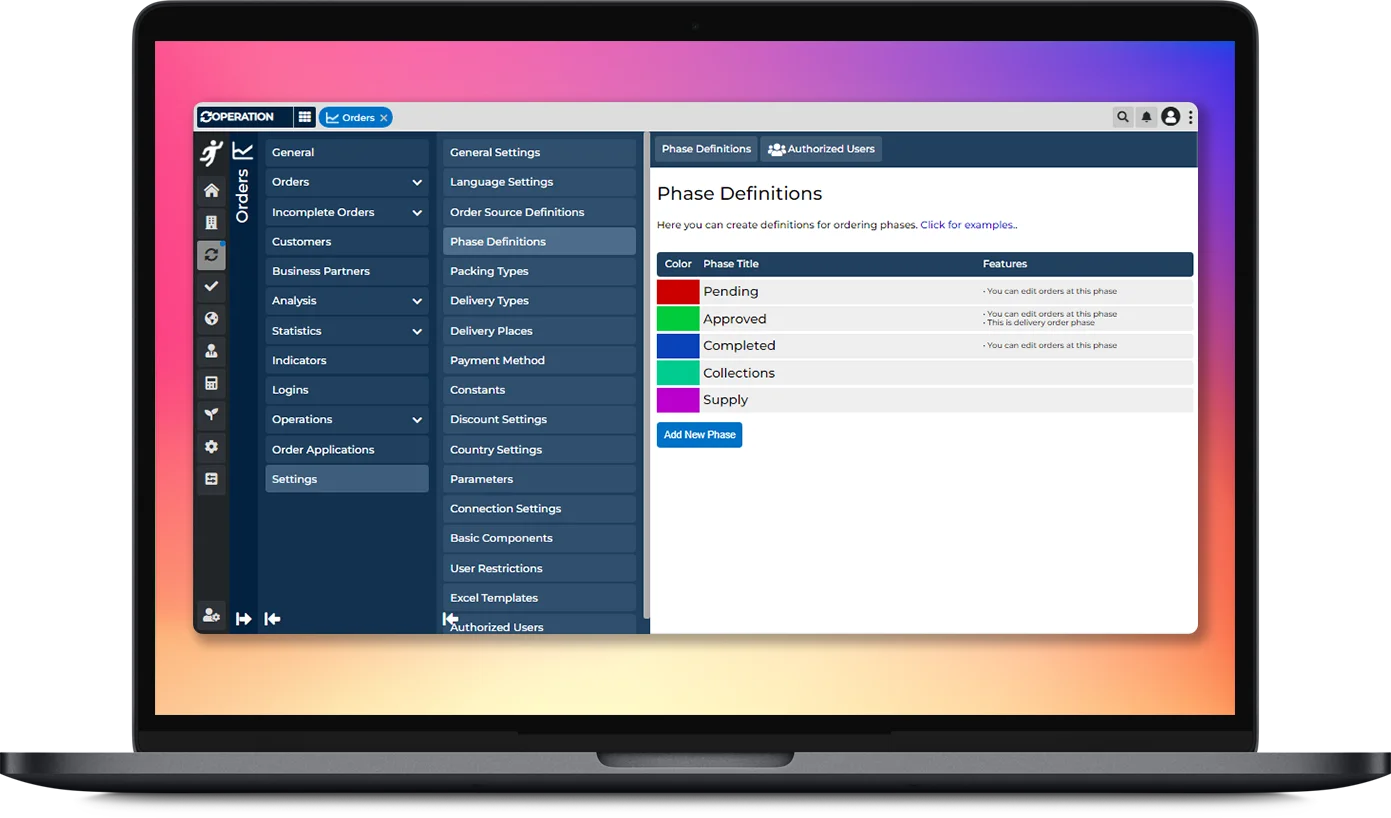
Can I make changes to order stage definitions?
You can define order phases as you wish according to your operational processes.
-
Can I get a branch-based order report?
You can get order reports for your branches from the Branch Statistics menu.